.png?width=512&height=100&name=Logo%20(side-by-side).png)
When a transaction is in the Ready to Invoice stage, it may be split into one or more invoices such as:
- Co Contribution
- Compensation
- Department
- GAP
If the transaction needs to be cancelled, all related invoices must also be cancelled and credited correctly.
In order to cancel a transaction,
1. Go to Support at Home> transactions> Ready Claim.
2. Find the transaction you want to cancel. There will be a cross icon at the end of the transaction row.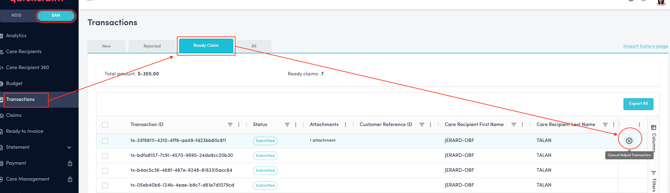
3. There is an option to fully cancel the invoice or adjust it before cancelling.
4. In order to adjust it, check the adjustment checkbox and fill the unit and rate you would like to adjust.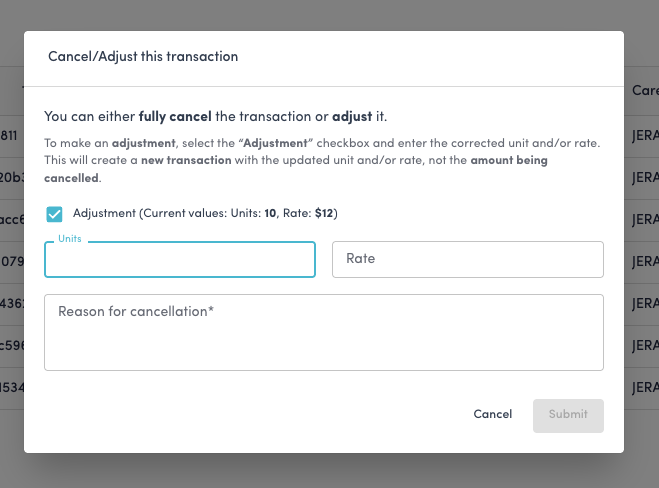
5. In either case, enter the reason for cancellation and Submit.