.png?width=512&height=100&name=Logo%20(side-by-side).png)
In order to integrate quickclaim Link with your software vendor, you'll need to share your API credentials with them.
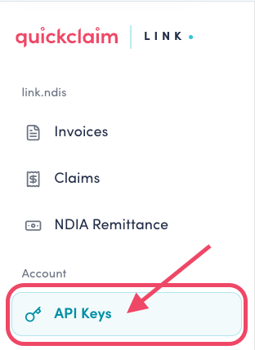
To find your API credentials, navigate to the API Keys menu item
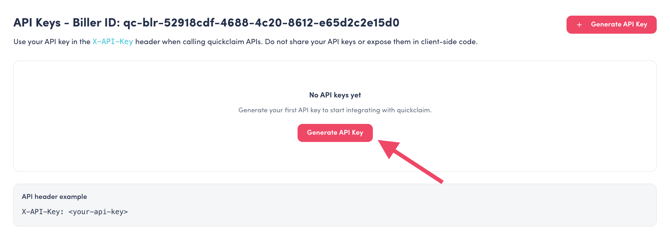
Click the 'Generate API Key' button
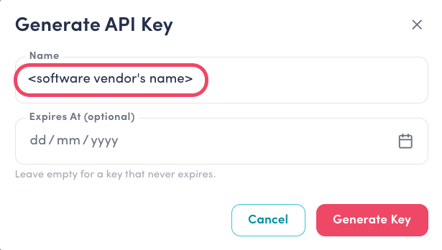
In the key generation dialogue, enter a name for the key (this can be anything, but should ideally be something that tells you where it's being used, such as your software vendor's name).
You can also give the key an expiry date, but this will necessitate you generating a new key (or extending the expiry) in order to avoid the integration failing once it expires.
 After clicking 'Generate Key', the generated key will be displayed in the dialogue. You must copy the key using the 'Copy to Clipboard' icon before closing this dialogue. You will not be able to display the key again (but you can generate a new key).
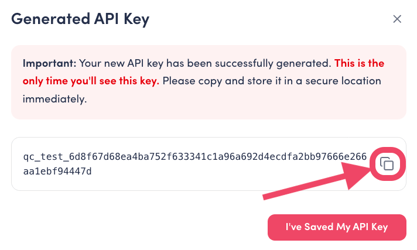
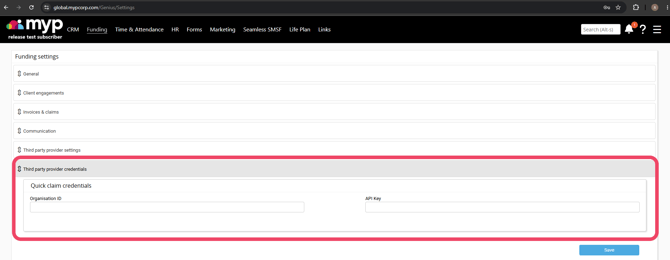
After copying the key to the clipboard, navigate to your software partner's integrations page and enter the key, along with the Biller ID found at the top of the quickclaim Link API Key page.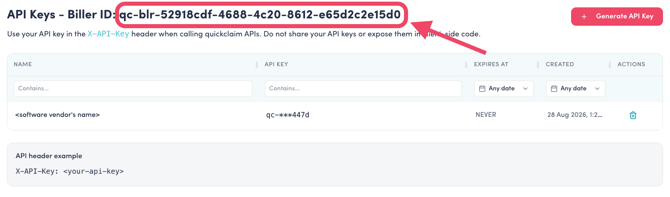
For MYP customers, the integrations page can be found here: https://global.mypcorp.com/Genius/Settings. Note that the Organisation ID is your quickclaim Biller ID.