
What is a 'Failed' claim?
A Failed claim never reached the NDIA. It was refused when quickclaim tried to submit it, or it was never sent. That means:
- the NDIA has no record of it and has paid nothing;
- there is nothing to retry: the same claim can't be sent again;
- to claim the service, you submit it again as a new invoice.
Once you have dealt with a failed claim, mark it as resolved. It keeps its Failed status and history, but stops counting towards Failed claims on your Dashboard.
Failed is different from Rejected. A rejected claim reached the NDIA and was declined; it is followed up with the NDIA and can't be marked as resolved in quickclaim.
Finding failed claims
There are three places to see failed claims:
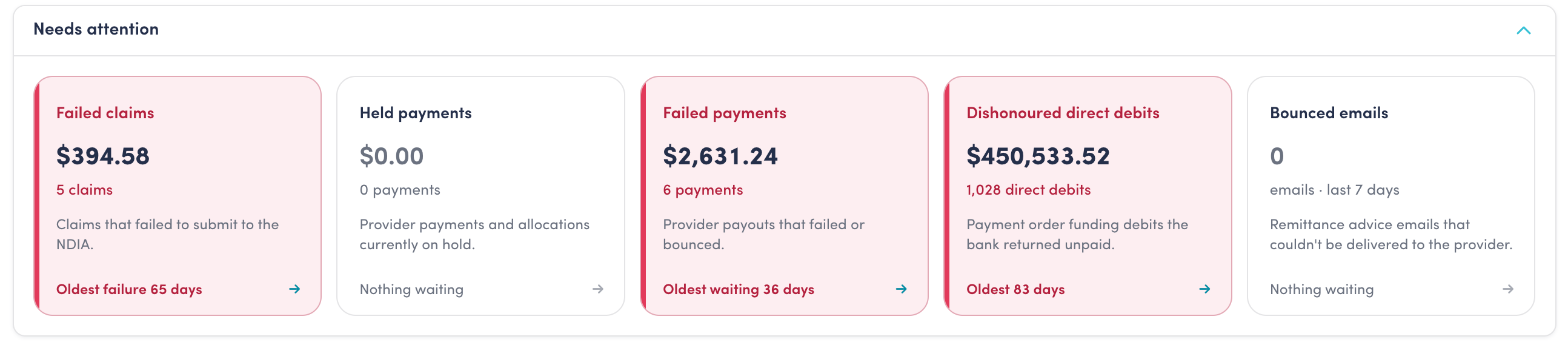
- Dashboard: the Failed claims tile under Needs attention shows the total and number of failed claims that haven't been resolved, and how long the oldest has been waiting. Click it to open the list.
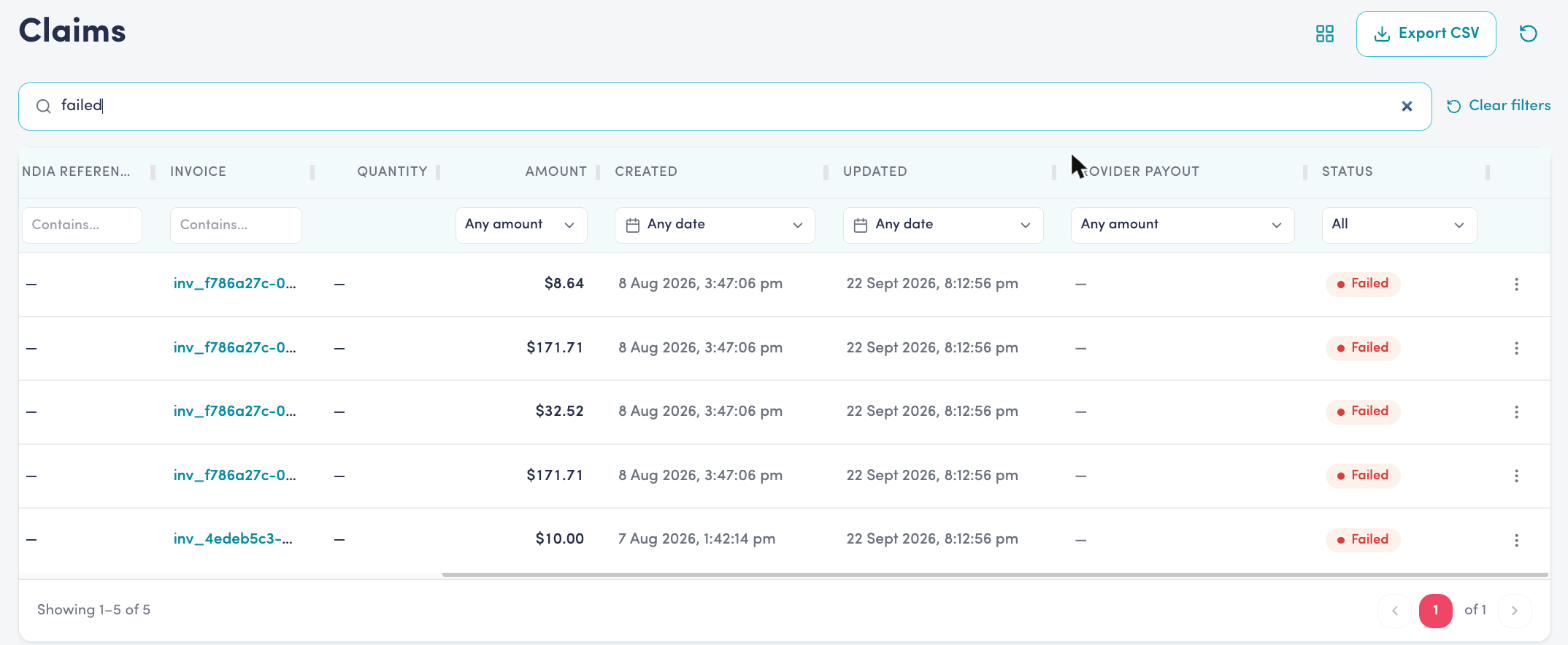
- Claims list: filter the Status column to Failed, or type failed in the search box.
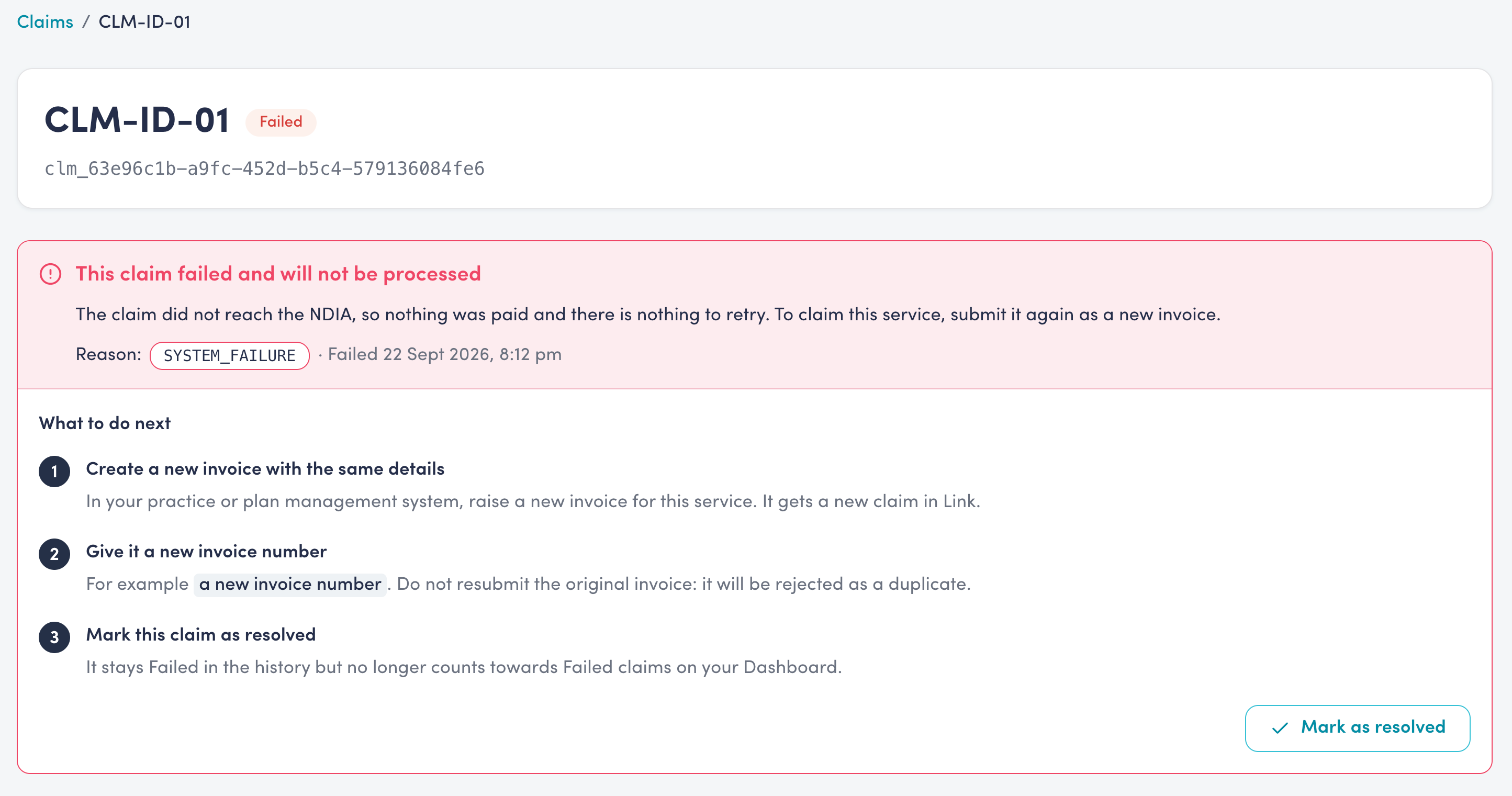
- Claim page: a failed claim shows a red panel above the claim details headed This claim failed and will not be processed. It gives the failure reason, when it failed, and the steps to take next.
Resubmitting the service
To claim the service, create a new invoice in your plan management system:
- Use the same details as the original invoice (participant, provider, service dates, items and amounts).
- Give it a new invoice number, for example INV4226-RESUBMIT. Don't reuse the original number: the NDIA rejects it as a duplicate.
The new invoice comes through to quickclaim as a new claim and is submitted to the NDIA as normal.
If you no longer want to claim the service, skip this step and go straight to marking the claim as resolved.
Marking the claim as resolved
- Open the failed claim.
- In the red panel, click Mark as resolved.
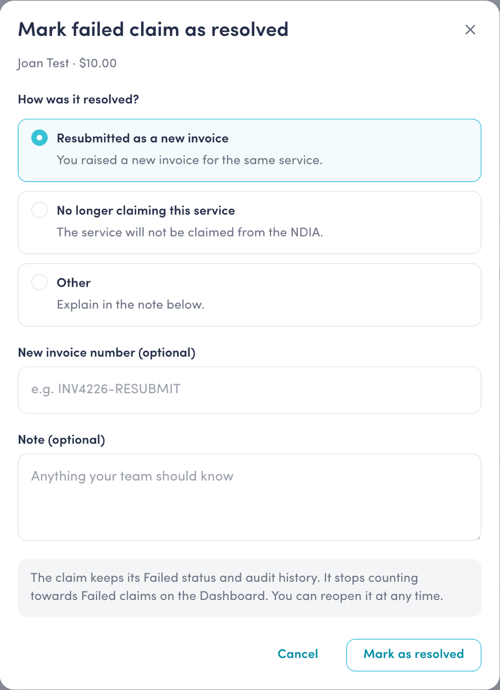
- Under How was it resolved?, choose one:
- Resubmitted as a new invoice (the default). You can enter the New invoice number so others can find it.
- No longer claiming this service.
- Other. A note is required.
- Add a Note if useful.
- Click Mark as resolved.
What changes:
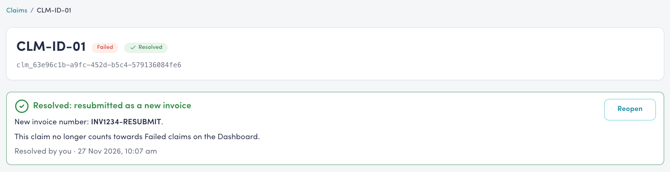
- The claim keeps its Failed status and a green Resolved badge appears beside it.
- The red panel is replaced with a green one showing how it was resolved, the new invoice number (if given), and who resolved it and when.
- The claim's history shows a Failed → Resolved event.
- It no longer counts towards Failed claims on the Dashboard, in both the Needs attention tile and Invoice status.
Nothing is sent to the NDIA, and resolving doesn't affect any other claims, invoices or payments.
Reopening a resolved claim
If a claim was resolved by mistake, or the replacement invoice also had a problem, open the claim and click Reopen in the green panel. The resolution is cleared, the red panel comes back, the claim counts towards Failed claims on the Dashboard again, and its history shows a Resolved → Reopened event.
F.A.Q.s
Can I just resubmit the original invoice?
No. The NDIA rejects it as a duplicate. Create a new invoice with a new invoice number, such as INV4226-RESUBMIT.
Does marking a claim as resolved resubmit it?
No. Resolving only records that you have dealt with it. To claim the service you still need to create the new invoice.
Will resolving change the claim's status?
No. It stays Failed, with a Resolved badge beside it, and its full history is kept.
Is the new claim linked to the failed one?
Not automatically. Entering the new invoice number when you resolve the claim records the link so others can find it.
Can I resolve a rejected claim?
No. Mark as resolved is only available for failed claims. Rejected claims are followed up with the NDIA.
Can I resolve several failed claims at once?
Not at the moment. Resolve each claim from its own page.
How do I see claims I've already resolved?
Filter the Claims list to Status = Failed and open a claim: resolved claims show a green Resolved badge beside Failed.